Top of Page ↑

Learn on the Go with Byki Community Edition!

Learn on the Go with Byki Community Edition! About Byki Community Edition    |   Downloading Byki Community Edition   |   Activating Byki Community Edition

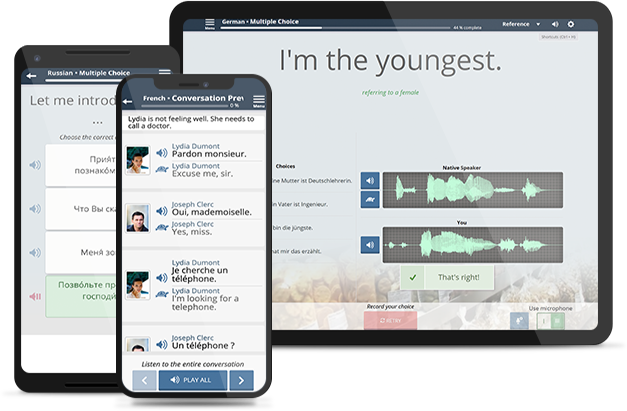
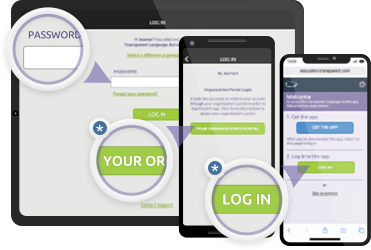
Now you can continue your language learning whenever or wherever it's convenient... even without an Internet connection. * Transparent Language Online users can take their language learning "on the go" with an Apple® iPad®, iPhone®, iPod® touch, or Android™ powered device. Byki Community Edition is a FREE iOS and Android App which can be used in conjunction with a Transparent Language Online subscription.

If you have a Transparent Language Online Subscription you may be able to use your access to activate Byki Community Edition. If you don't have a Transparent Language Online subscription, click here for more information.

Alternatively, for $7.99 you can purchase any of the over 40 available Byki for iPhone apps. Click here for a complete list.

What is Byki Community Edition?

Learn on the Go with Byki Community Edition
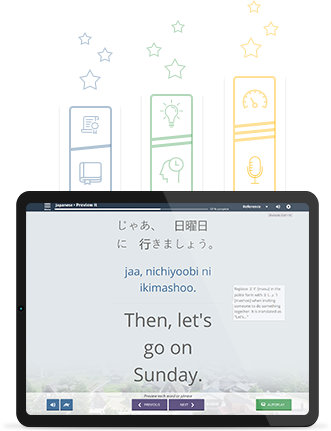
Byki is the fun and addictive way to learn a language. It locks words and phrases into your memory so you can recall them perfectly and remember them forever. It also tracks your learning progress with statistics on the number of items you have learned and lets you test your knowledge with quizzes. Whether you're learning a language for school, work, or personal development, Byki products deliver a continuous and versatile learning experience. Before You Know It, you'll be speaking another language with ease!

Features:

  • Access to languages made available to you from your Transparent Language Online account.
  • Over 2,000 flash cards organized in 100+ lists for each language.
  • Quizzes – Each list includes a multiple choice quiz that lets you assess what you have learned.
  • Native speaker pronunciation with SlowSound™ lets users hear every nuance of the language for mastering proper pronunciation.
  • Twitter Integration – See how words and phrases are being used in real time and in context with Twitter! (requires a network connection)
  • Use Byki as a phrasebook – Search words and phrases in both English and foreign language.

Supported Languages Include:

Afrikaans, Albanian, Altai*, Altai - Transliterated*, Arabic, Arabic - Transliterated, Azerbaijani, Bashkir*, Bashkir - Transliterated*, Belorussian*, Belorussian - Transliterated*, Bosnian, Bulgarian, Bulgarian - Transliterated, Chechen*, Croatian, Czech, Danish, Dari, Dari - Transliterated, Dutch, Estonian*, Farsi, Farsi - Transliterated, Finnish, French, German, Greek, Greek - Transliterated, Haitian Creole, Hausa, Hebrew*, Hebrew - Transliterated*, Hindi*, Hindi - Transliterated*, Hungarian, Icelandic*, Indonesian, Irish, Italian, Japanese, Kazakh*, Kazakh - Transliterated*, Korean, Latvian*, Lithuanian*, Luxembourgish*, Macedonian*, Macedonian - Transliterated*, Malay*, Chinese Mandarin, Mirandese*, Mongolian*, Mongolian Transliterated*, Norwegian, Pashto, Pashto - Transliterated, Polish, Portuguese Brazilian, Portuguese European, Romanian, Russian, Russian - Transliterated, Scottish Gaelic, Serbian, Serbian - Transliterated, Slovak, Spanish, Swahili, Swedish, Tagalog, Thai*, Thai - Transliterated*, Turkish, Turkmen*, Ukrainian, Ukrainian - Transliterated, Urdu, Urdu - Transliterated, Uzbek*, Vietnamese*, Zulu

*Languages not available on Android version.

System Requirements:
iPhone/iPod: iPhone/iPod OS 4.3 or higher, or iPad OS 4.3.
Android: Android OS 2.2 or higher.
Internet access is only required for installation, activation, downloads, and Twitter searches; your data rates may apply. iTunes®, iPhone®, iPod®, and iPad® are trademarks or registered trademarks of Apple Computer, Inc. Android is a trademark of Google Inc. Other product names may be trademarks of their respective owners.

How do I get my Free Byki Community Edition?

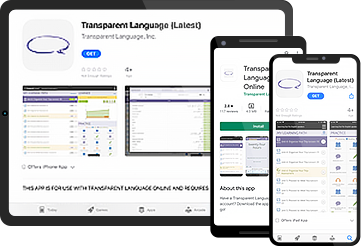
Byki Community Edition is available for free on the iTunes App Store and Google Play Store.

For iPhone, iPod touch, or iPad:

There are two ways to get the app on your device.
  1. Navigate to the Apple iTunes store. Search the store for "Byki for iPhone Community Edition" and click "Install" (internet connection required)

    or

  2. Click here to use iTunes on your computer to download and install Byki for iPhone Community Edition. Be sure to sync your device to your iTunes library after downloading Byki.

Android

  1. Open the Market application on your device and search for "Byki Community Edition".

    or

  2. Click here to access the Google Play Store.

How do I activate Byki Community Edition?

Before you can use Byki Community Edition, you need to activate the app with a special code. Simply follow the instructions below to complete the installation of Byki Community Edition on your iOS or Android device:
  1. From your computer, log into Transparent Language Online and click on the "Go Mobile" icon on the home page
  2. Click the "Byki CLE User Name" button to obtain your unique Byki Mobile user name.
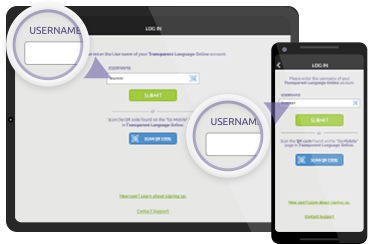
  3. Launch the Byki Community Edition software on your iPhone, iPod touch, iPad, or Android device. When prompted, enter the Byki CLE User Name. Your device will then have access to download the appropriate lists and languages corresponding to your Transparent Language Online account. (Internet connection required.)